Get the Hushd beta
For a Mac with Apple silicon and Apple Intelligence turned on. Built and tested on macOS 27.
Hushd for Mac
Public beta, Apple silicon
- Apple’s on-device model, nothing to download
- Projects, history, insights and review
- Notch, menu bar and a one-key start
- Open sessions, or set a timer
- Nudges that never name the distraction
From the newest release on GitHub. No account.
Install in five steps
A newer beta installs over the old one, and your sessions and settings stay.
Your Mac checks itself.
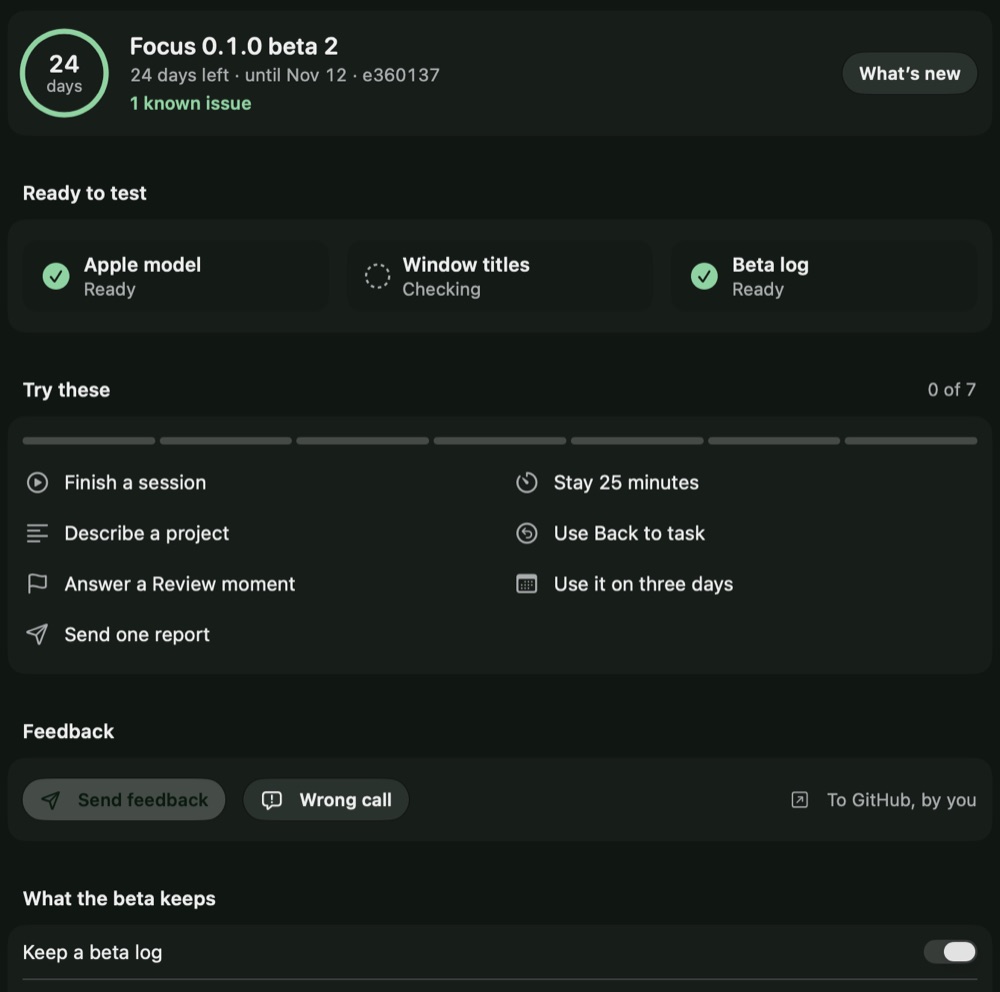
Your name at the bottom left of the Hushd window opens your profile. Its Beta page checks that your Mac is ready and lists seven things to try, which tick themselves as you go.
Use it for real work on at least three days over about a week.
Tell us what it got wrong.
In Hushd, click your name, then Send feedback. It saves a report you read first, and opens a GitHub form for you to drag it into. Hushd never sends a report by itself.
A crash, a hang, or a screen that looks wrong.
Open the form on GitHubA report holds
- Your words
- The build, your Mac’s model and macOS version
- Whether permissions are on, and your settings switches
- Counts, and when things happened
- Hushd’s last calls: on, unsure or off
It never holds
- Task or project names
- Window titles
- Web addresses
- Words from your screen
- Pictures
Issues on GitHub are public.
Questions
The app, window title and page address of the window in front, only during a session. If you turn on screen reading, it also reads the words in that window. The model sees words, never the picture.
Hushd judges with Apple’s on-device model. There is no account, no cloud service of ours and no analytics. Pictures and screen words stay in memory and are dropped when the window changes. Two optional features use iCloud, and both stay off until you turn them on: Friends shares your name, avatar and daily totals with friends you invite, and iPhone sync keeps your numbers and task names in your own iCloud.
It will, sometimes. That is why a nudge needs two checks that agree and a drift that lasts, and why not sure does nothing. In Review, “That was fine” teaches it.
No. Nudges talk about your task, never the distraction, so Hushd is safe to have on screen next to a colleague.
No. Messaging apps, music players and blank tabs are on a never-judged list by default. You can edit that list in Settings.
This beta has no Apple developer signature yet. Choose Done, then System Settings, Privacy & Security, Open Anyway. You do this once per build.
A companion is in testing. It follows your Mac session over your local network and can shield apps you pick while you work. You can lift it any time.
Yes. Open sessions run until you end them. Timed sessions end on their own.